

source on Google
Quick answer: A good website for clinic owners helps a patient do three things in under a minute: understand what you treat, trust the doctors, and book or call. That means clear service pages, real doctor profiles, simple online booking, your address on Google Maps, and fast pages on a phone. It also has to handle patient details carefully.
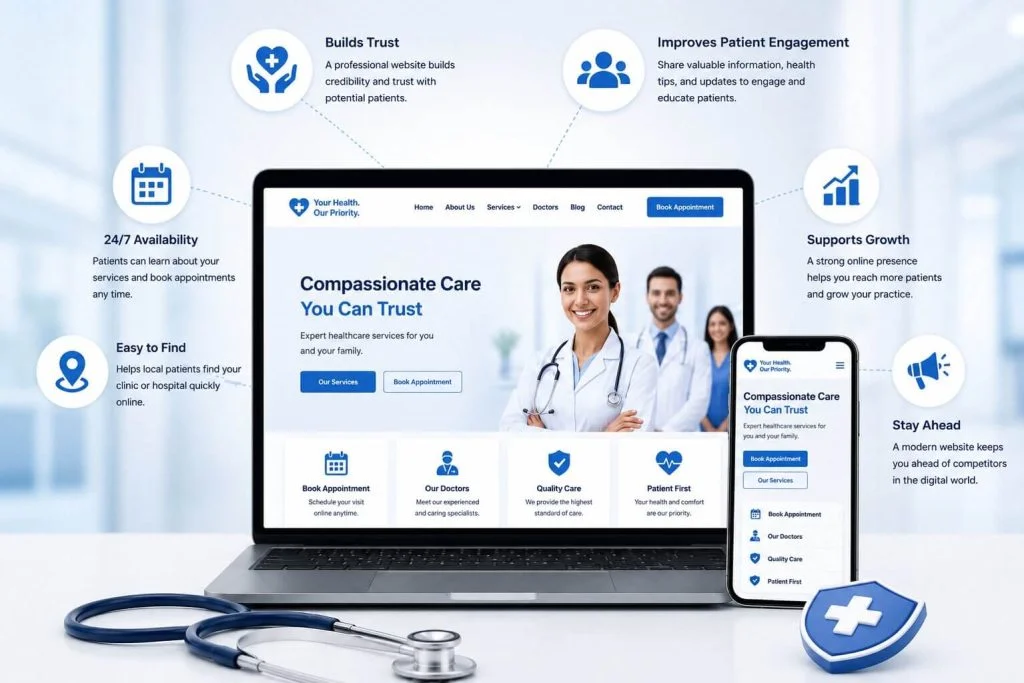
When someone needs a doctor, they search on their phone, often for “clinic near me” or a specific treatment with their area name. They compare two or three results and book with the one that looks clear and trustworthy. This guide explains what a website for clinic practices should include, the common mistakes, how to show up on Google Maps, and what it costs.
What patients look for on a website for clinic visits
Patients arrive worried, busy or both. A website for clinic visitors should answer their questions before they have to call:
- Do you treat my problem? A clear list of services and conditions.
- Who will see me? Doctor names, qualifications, experience and languages spoken.
- When are you open? Timings for each doctor and day, including Sundays and holidays.
- Where are you? Address, map, parking and nearby landmarks.
- How do I book? A booking button, a phone number and WhatsApp, visible on every page.
- What will it cost? Consultation fees, or at least a clear way to ask.
12 must-have features of a website for clinic practices
Trust
- Doctor profiles. Real photos, qualifications, registration details where appropriate, and the services each doctor offers.
- Real clinic photos. Reception, consultation rooms and equipment, not stock images.
- Clear, careful wording. Explain treatments simply. Avoid promises about results.
Booking
- Online appointment booking with doctor, date and time, plus an instant confirmation.
- Call and WhatsApp buttons that stay visible on phones.
- Reminders by SMS, email or WhatsApp to cut no-shows.
Information
- One page per service or treatment, so each one can be found on Google and patients get the details they need.
- Timings and holidays that staff can update in minutes.
- Location page with a map, directions and parking details. For more than one branch, one page per branch.
- FAQ section for common questions: preparation, reports, insurance and payment.
Technical
- Fast, mobile-first pages that load well on mobile data.
- Secure forms on HTTPS that collect only the details you need.
Patient data: handle it carefully
A website for clinic bookings collects personal and sometimes health information. Treat it with care:
- ask only for what you need to book: name, phone, preferred doctor and time
- do not ask for detailed medical history in a public website form
- show a short privacy note near the form and link to your privacy policy
- send form data to a secure inbox or booking system, not to many personal email accounts
- keep the website, plugins and backups updated and protected
In India, the Digital Personal Data Protection Act sets rules for how personal data is collected and used. The Ministry of Electronics and IT has an overview on its data protection framework page. Doctors should also follow the professional conduct rules of the National Medical Commission on how a practice can present itself. If you are unsure about any of these, check with your legal adviser.
How a website for clinic practices gets found on Google Maps
For clinics, most new patients come from local searches. Google shows a map with three clinics at the top, and those three get most of the calls. To appear there, your website for clinic visitors and your Google Business Profile need to work together:
- Complete your Google Business Profile with the correct name, address, phone, timings, services and photos. Google’s Business Profile help explains each field.
- Use the same name, address and phone on your website, Google and every directory.
- Link your profile to the right page on your website, such as the branch page.
- Ask happy patients for reviews and reply to every review politely, without sharing any medical details.
- Add clinic schema to your website using the MedicalClinic type, with address, timings and phone.
- Create service pages with your area name, for example “physiotherapy in Sector 14, Gurugram”, only where you actually offer the service.
Our search everywhere optimisation service covers Google Search, Google Maps and AI answers together.
Content that helps patients and brings new ones
After the main pages are live, a short, helpful article each month keeps a website for clinic patients useful and gives Google more reasons to show it. Good topics come straight from the questions patients ask at the front desk:
- how to prepare for a common test or procedure
- what to expect at the first visit, step by step
- when a symptom needs a doctor and when it can wait
- recovery tips after a common treatment
- how to read a common report, explained simply
Have a doctor review each article and show their name on it. Keep the advice general, link to the matching service page, and avoid promising results. Over time these articles help your website for clinic searches show up for more questions, and patients arrive already trusting your doctors.
Common mistakes on clinic websites
- No booking option on the phone screen. Patients have to scroll to find a number.
- Old timings. A patient who arrives at a closed clinic rarely comes back.
- One page listing every service. Google cannot rank a single crowded page for many treatments.
- Stock photos of doctors. Patients notice, and it hurts trust.
- Big promises. Claims like “100% cure” are risky and can break professional rules.
- Forms that nobody checks. Booking requests sit in an inbox for days.
- A slow, heavy site. Large sliders and videos make the page slow on mobile data.
If your current website for clinic patients has several of these problems, fixing them often brings more bookings than any advertising.
Single clinic, multi-speciality or a chain?
The right website for clinic owners depends on size:
- Single-doctor clinic: a small site with home, about the doctor, services, timings and location, booking and contact.
- Multi-speciality clinic: one page per department and per doctor, with booking by department.
- Chain or several branches: one page per branch with its own map, timings, doctors and Google Business Profile.
If you later need a patient portal for reports, follow-ups or online payments, it can be added as custom software connected to the website. Unsure whether you need an app as well? Read our guide on website vs app for business.
How much does a website for clinic practices cost?
The cost depends on the number of doctors, services and branches, and on whether you need online booking, reminders or payments. At CrestVox Studio:
- a starter website starts from ₹15,000 ($180), a 5 to 8 page site that suits a single clinic
- a business website starts from ₹40,000 ($480), for multi-speciality clinics with many service pages and a blog
- booking systems, multi-branch sites and patient portals get a fixed quote after a short call
- website maintenance starts from ₹3,000 a month for updates, backups and security checks
Every project gets a written scope and a fixed price before work starts. All starting prices are on our pricing page.
Pages every website for clinic practices needs
| Page | What it should answer |
|---|---|
| Home | What you treat, where you are, timings and a booking button |
| Doctors | Each doctor’s qualifications, experience, languages and days available |
| Services (one page each) | What the treatment is, who it is for, what to expect and how to book |
| Book an appointment | Doctor, date and time, with instant confirmation |
| Timings and location | Hours by day, holidays, map, parking and directions |
| Fees and payments | Consultation fees, payment options and insurance details if any |
| FAQ | Preparation, reports, follow-ups and cancellations |
| Contact and privacy | Phone, WhatsApp, email and how patient details are handled |
Launch checklist for a clinic website
- Collect real photos of the clinic and each doctor.
- Write one short page for each service you want patients to find.
- Confirm timings for every doctor and set up a way for staff to update them.
- Test the booking form and make sure every request reaches the front desk.
- Match your name, address and phone on the website and Google Business Profile.
- Add the privacy note and policy before the form goes live.
- Test the site on a slow phone connection.
Want to check your current site first? Our free website audit shows what is slowing it down and what to fix first. You can also see how we build WordPress websites for healthcare.
Frequently asked questions
What should a website for clinic practices include?
Doctor profiles, one page per service, timings, location with a map, online booking, call and WhatsApp buttons, an FAQ and a clear privacy note.
Can patients book appointments online?
Yes. A booking form or system lets patients pick a doctor, date and time and get an instant confirmation, with reminders to reduce no-shows.
How do I get my clinic on Google Maps?
Create and complete your Google Business Profile, use the same name, address and phone everywhere, add real photos, and ask patients for reviews.
Is it safe to collect patient details on a website?
Yes, if you collect only what you need, use HTTPS, send data to a secure inbox or system, show a privacy note and keep the site updated.
Can staff update timings and holidays themselves?
Yes. We set up simple editing for timings, holidays and notices, and train your team at handover.
Get a plan for your clinic website
Need a new website for clinic patients, or want your current site to bring more bookings? Tell us about your clinic. We reply within 24 hours with a written scope, a fixed price and a timeline, at no cost. Get a free proposal.