

source on Google
Short answer: this Google Business Profile checklist 2027 comes down to four jobs. Get the basics exactly right (name, category, address, phone, hours), fill every section Google gives you, collect real reviews and reply to them, and keep the profile fresh with photos and updates. Do those well and your business has a fair shot at the map results, which is where most local calls come from.
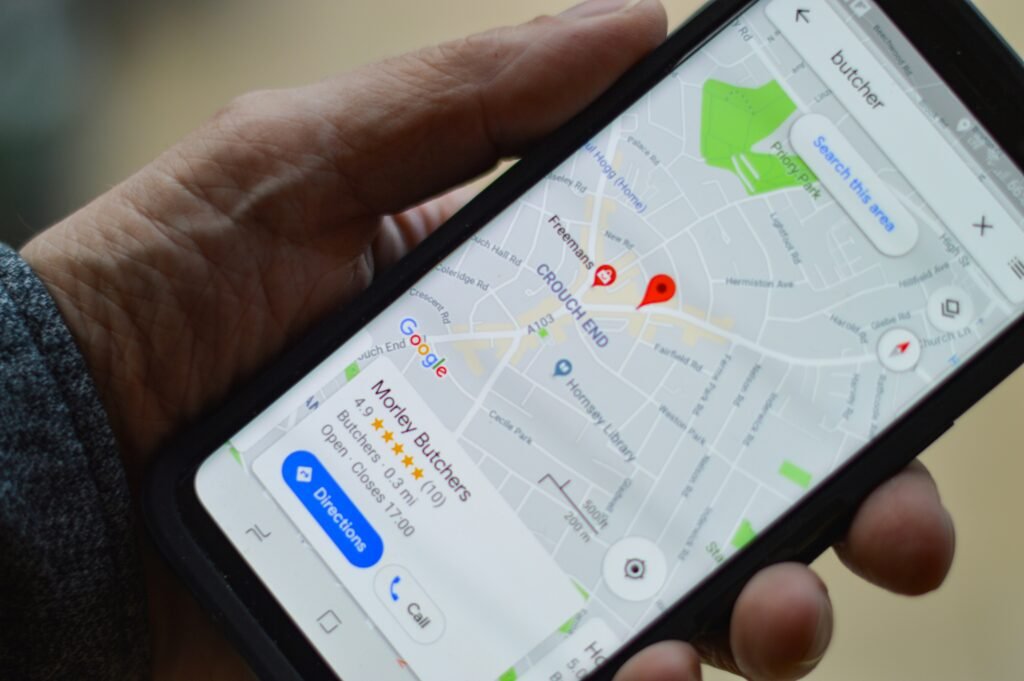
Search “dentist near me” or “AC repair in Sector 14” and Google shows a map with three businesses before any website. Those three get most of the calls. Your Google Business Profile decides whether you’re one of them, and it costs nothing to run. Below is the checklist we use, in the order we’d do it.
A small mistake we made ourselves
For months our own profile said “Open 24 hours” while our website said Monday to Saturday, 10am to 7pm. Nobody noticed until we checked. It sounds minor, but Google, Maps and AI tools all compare those details, and a mismatch makes them less sure which one is right. So the first item on any Google Business Profile checklist 2027 is the boring one: make every detail match.
1. Get the basics exactly right
Start here, because everything else on the Google Business Profile checklist 2027 depends on it.
Use your real business name, exactly as it appears on your signboard and invoices. Adding words like “Best Dentist Gurugram” to the name is against Google’s rules and can get the profile suspended.
Your primary category is the strongest single choice you make. Pick the one that says what you are, such as “Dentist”, “Website designer” or “Air conditioning repair service”. Then add a few secondary categories, but only ones that are true. If you don’t offer it, don’t list it.
The address should match your website down to the floor and sector. If you visit customers and have no shop, hide the address and set a service area instead.
The phone number should be one that someone actually answers during business hours, and the same one that’s on your website. Point the website link at your homepage, or at the right branch page if you have more than one location.
Finally, set your real hours, and add special hours for festivals and holidays. People check these before they drive over.
Google’s own help page on adding or claiming a Business Profile walks through each field if you’re starting from scratch.
2. Fill in every section
Most profiles stop after the basics. The ones that show up more often have every section filled in, so this part of the Google Business Profile checklist 2027 is worth an extra hour.
The business description gets up to 750 characters. Say what you do, who for, and where, in plain sentences. No phone numbers or links in it, and no lists of keywords.
Services are the next stop. Add each service you offer with a short line about it, and a price or “from” price if you’re comfortable sharing one. Products work the same way for shops.
Attributes are the small tags such as “wheelchair accessible”, “online appointments” or “women-owned”. Tick the ones that are true.
If you take bookings, add your appointment or booking link, so people can book straight from the map.
Opening date is less important, but fill it in. Every empty field is a small gap in the picture Google has of you.
3. Photos: real ones, and keep adding them
People look at photos before they call. Use your own pictures: the front of the building so visitors can find it, the inside, your team at work, and finished work if you do projects. Skip stock photos. A blurry real photo of your clinic tells a patient more than a perfect stock image of a stranger’s.
Add a few new photos every month. Profiles that keep changing look active, both to Google and to customers comparing three businesses side by side.
4. Reviews: ask every happy customer
Reviews are the part of the Google Business Profile checklist 2027 that takes the longest and pays back the most. Google says it looks at relevance, distance and prominence when ranking local results, and reviews are a big part of prominence. You can read how Google explains it in tips to improve your local ranking.
What works:
- Copy the review link from your profile and send it on WhatsApp right after a job goes well. Asking in person while the customer is happy works even better.
- Reply to every review, good or bad, within a few days. Thank people by name. For a bad review, stay calm, say what you’ll do, and take the details offline.
- Never share private details in a reply. For clinics this is extra important: don’t confirm that the reviewer was a patient or mention their treatment.
What doesn’t work, and can get the profile penalised: buying reviews, offering discounts in exchange for reviews, writing reviews for yourself or asking staff to do it. Google’s policy on fake engagement spells this out.
5. Posts and updates
Google lets you post offers, events and short updates on the profile. They don’t need to be clever. A new photo of finished work with two lines about it, a festival offer, or “we’re open on Sunday this week” is enough. Once a week is a good habit; once a month is the minimum.
6. Make your website and profile agree
Your profile and your website should say the same things. Check that:
- name, address, phone and hours match word for word
- your website has a contact page with the same address and an embedded map
- the services on your profile have matching pages on your website
- the website loads fast on a phone, because many people tap through from the map
Then check the same details on other places you’re listed, such as Justdial, Bing Places, Facebook and industry directories. One wrong phone number on an old listing can confuse Google and AI tools for months. Our guide on what a website for small business needs covers the website side of this.
7. Watch the numbers every month
Inside the profile, Google shows how many people viewed it, called, asked for directions, clicked through to the website or booked. Look at these once a month. If views are high but calls are low, your photos, reviews or description may be putting people off. If views are low, work on categories, services and reviews first.
Google Business Profile checklist 2027 for clinics, shops and service businesses
The list above works for everyone, but each type of business has one or two things to add.
Clinics and dentists should list each doctor’s specialty in the description or services, set accurate timings per day, and be extra careful with review replies. Our post on a website for clinic practices covers the website half.
Shops and showrooms should add products with photos and prices, and keep festival hours up to date, since that’s when people search most.
Service businesses that visit customers (plumbers, pest control, AC repair) should hide the address, set a realistic service area, and add a service for each job they do.
How much time does this take?
Less than most owners expect. Working through the setup part of this Google Business Profile checklist 2027 takes an afternoon: an hour for the basics and description, an hour for services and photos, and a little time to send your review link to recent customers.
After that it’s a monthly habit. Thirty minutes is usually enough to add new photos, write one or two posts, reply to reviews and look at the numbers. The businesses that do well on Maps aren’t the ones with a perfect profile on day one. They’re the ones that keep opening it every month.
If even that is hard to fit in, give one person in the team the job and a fixed day each month to do it. Writing down the Google Business Profile checklist 2027 steps on one page and sticking it near their desk helps more than you’d think.
Common mistakes to avoid
- Keywords stuffed into the business name.
- Two profiles for the same business at the same address.
- A phone number that goes to voicemail all day.
- Hours that were never updated after a change.
- Ignoring negative reviews, or arguing in public.
- Setting up the profile once and never opening it again.
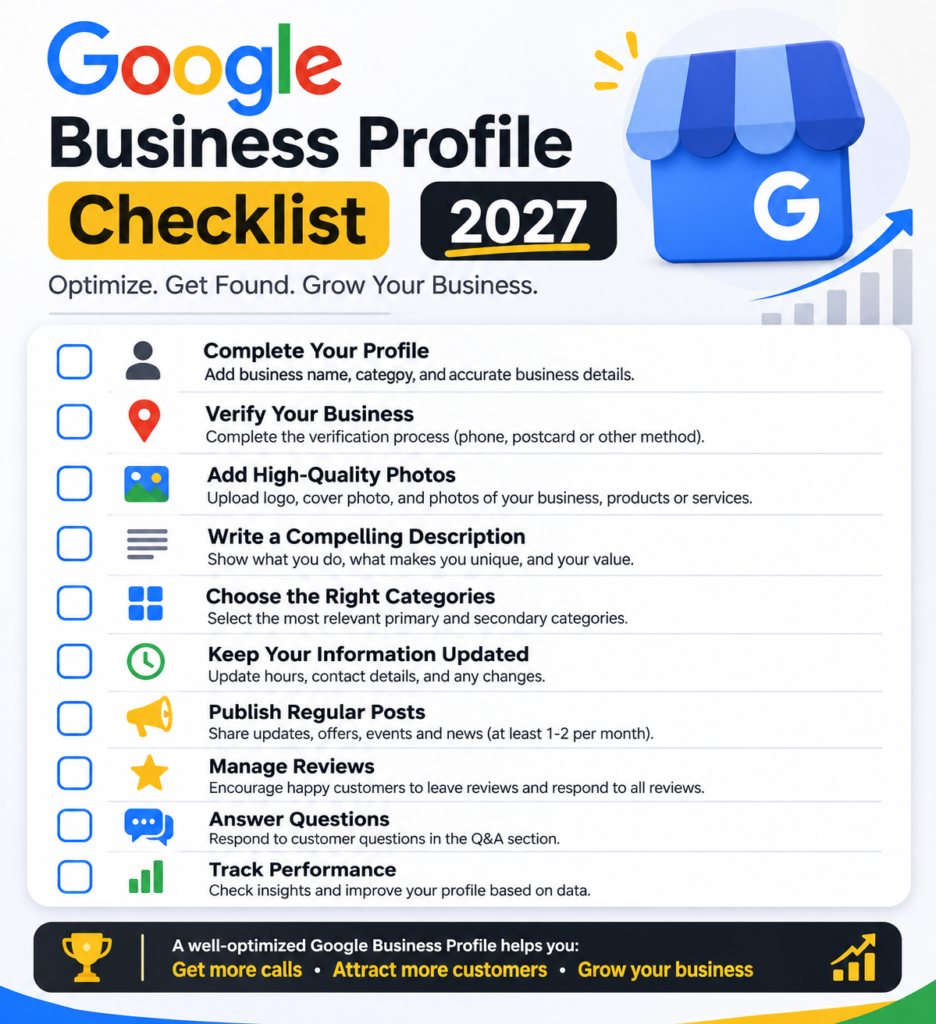
The full Google Business Profile checklist 2027
- Real business name, no keywords added.
- Correct primary category, plus true secondary categories.
- Address, phone and website exactly matching your site.
- Regular hours and special holiday hours.
- A 750-character description in plain language.
- Every service or product added.
- Attributes and booking link filled in.
- Real photos, with new ones every month.
- Review link shared with every happy customer.
- A reply to every review.
- A post at least once a month.
- Same details on Justdial, Bing Places and other listings.
- Monthly check of calls, directions and website clicks.
Frequently asked questions
How long does it take to show up on Google Maps?
After verification, a profile can appear within days, but showing up in the top three for competitive searches usually takes months of reviews, photos and updates.
Does a Google Business Profile cost anything?
No. Creating and running the profile is free. Some businesses pay agencies to manage it, but you can do every step in this list yourself.
Can I add keywords to my business name?
No. Use your real name only. Extra keywords break Google’s guidelines and can get the profile suspended.
Should I reply to bad reviews?
Yes. A calm, short reply that offers to fix the problem shows future customers how you treat people. Never argue, and never share private details.
Does my profile help me show up in ChatGPT and AI search?
It helps. AI tools build their picture of a business from many sources, and a complete, consistent profile with real reviews is one of the most visible ones.
Want someone to check it for you?
If you’d rather not go through this Google Business Profile checklist 2027 on your own, our AI visibility audit checks your profile, your website and how you show up in Google, Maps and AI answers, free of charge. Our search everywhere optimisation service can then handle the monthly work for you.