

source on Google
If you have a slow WordPress website, you are not alone. Slow load times are the most common complaint from business owners about their sites. A slow WordPress website does not just frustrate visitors, it actively loses you clients and Google rankings. This guide covers 10 proven reasons behind a slow WordPress website and gives you a clear fix for each one.
Why WordPress Speed Matters More Than Ever in 2026
Google officially uses page speed as a ranking factor through its Core Web Vitals update. A slow WordPress website does not just frustrate visitors. It actively ranks lower on Google, gets penalised in mobile search results, and loses potential clients before they read a single word about your business.
Research from Google shows that 53% of mobile users abandon a website that takes longer than 3 seconds to load. If your site is sitting at 6, 8, or 10 seconds, you are losing more than half your visitors before the page even finishes loading. That directly translates to lost enquiries, lost sales, and lost revenue.
The good news is that every cause of a slow WordPress website is fixable. Start by identifying which of these 10 proven reasons applies to your site.
Reason 1: You Are Using a Page Builder
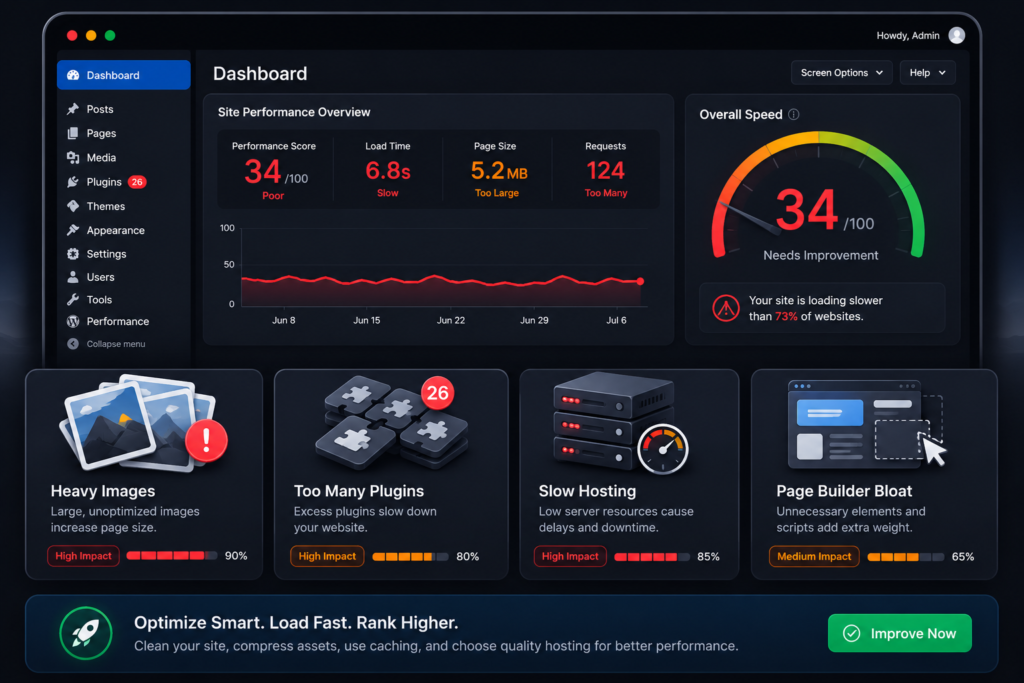
This is the number one cause of a slow WordPress website. Page builders like Elementor, Divi, WPBakery, and Beaver Builder are convenient to use but they come with a serious performance cost.
Every page builder loads its own CSS files, JavaScript libraries, animation frameworks, and widget scripts on every single page of your website whether those features are used on that page or not. A typical Elementor page can load 15 to 25 extra files before the page content even begins to render.
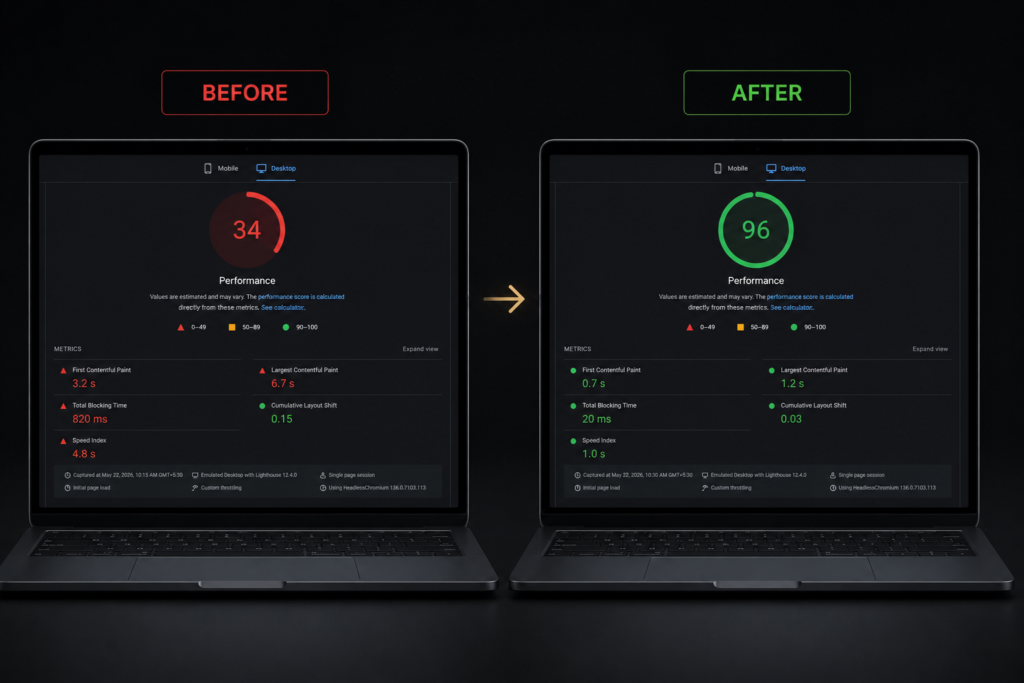
The fix: Switch to a clean, hand-coded custom WordPress theme. This removes all unnecessary scripts and stylesheets and is the single most impactful change you can make for a slow WordPress website. Sites rebuilt from page builders to custom code consistently go from PageSpeed scores of 30 to 40 up to 90 to 97.
Reason 2: Your Images Are Not Optimised
Oversized images are one of the most common causes of a slow WordPress website. Uploading a 4MB photograph directly from your camera makes your site even slower because the browser has to download that massive file before anything else on the page loads.
A standard blog image displayed at 800 pixels wide should never exceed 80 to 120KB in file size. A full-width hero image can go up to 200KB. Anything larger is slowing your page down unnecessarily and pushing your PageSpeed score lower.
The fix: Convert all images to WebP format before uploading. Use a free tool like Squoosh to compress images without visible quality loss. For WordPress, install ShortPixel or Imagify to automatically compress and convert new uploads going forward.
Reason 3: Your Hosting Is Too Slow
Cheap shared hosting is one of the most overlooked reasons behind a slow WordPress website. When you share a server with hundreds or thousands of other websites, your site competes for the same limited CPU, RAM, and bandwidth. When those resources are under pressure, your page load times spike.
You can have a perfectly optimised website with compressed images, clean code, and a caching plugin and still have a slow WordPress website if the server itself is underpowered.
The fix: Move to a quality managed WordPress host. Recommended options for businesses in the US, UK, Australia, and Canada include Kinsta, WP Engine, and Cloudways. These hosts use fast NVMe SSD storage, modern PHP versions, and isolated server resources that make an immediate difference to your load times.
Reason 4: You Have Too Many Plugins
Every plugin you install adds code to your website. Some plugins are lightweight and add minimal overhead. Others load multiple JavaScript and CSS files on every page regardless of whether that page uses the plugin at all.
A common pattern on a slow WordPress website is 30 to 50 plugins installed, many of which are either unused, duplicating each other, or simply poorly coded. Each one adds to the total page weight and the number of database queries run on every page load.
The fix: Audit your plugins list. Deactivate and delete any plugin that is not actively contributing to your site’s core functionality. As a general rule, aim for fewer than 15 to 20 well-maintained plugins from reputable developers.
Reason 5: No Caching Plugin Is Set Up
Without caching, a slow WordPress website gets slower with every visitor. Every page load forces the server to run PHP, query the database, and build the page from scratch every single time a visitor arrives.
Caching saves a pre-built version of each page and serves that static version to visitors instead. This removes the database query and PHP processing time entirely and dramatically reduces server load for everyone visiting your site.
The fix: Install WP Rocket (paid, best option) or W3 Total Cache (free). Enable page caching, browser caching, and GZIP compression. This single step can reduce your page load time by 40 to 60% on most WordPress sites.
Reason 6: You Have No CDN
If your server is physically located in the United States but a visitor is accessing your site from the United Kingdom or Australia, every file on your page has to travel thousands of miles before it reaches their browser. That distance adds measurable delay to every single page load.
A Content Delivery Network (CDN) stores copies of your website’s static files including images, CSS, and JavaScript on servers located all around the world. When a visitor loads your page, those files are served from the nearest server to their physical location.
The fix: Enable Cloudflare on your domain. The free plan includes a global CDN, basic DDoS protection, and can noticeably reduce load times for international visitors. This is essential if your business serves clients across multiple countries.
Reason 7: Render-Blocking JavaScript and CSS
When a browser loads a page, it reads HTML from top to bottom. If it hits a JavaScript or CSS file before it finishes rendering the page, it stops and waits for that file to fully download before continuing. This is called render-blocking and it is one of the most common technical reasons behind a slow WordPress website.
Page builders are especially bad for this. They frequently load large JavaScript files in the document head, forcing the browser to pause the entire page render while those files download in the background.
The fix: Add the defer or async attribute to non-critical JavaScript files. Move CSS that is not needed for above-the-fold content to load later. WP Rocket handles this automatically. On a custom-built theme, a developer can implement this directly at the code level.
Reason 8: Your PHP Version Is Outdated
PHP is the programming language that powers WordPress. Each new version processes code significantly faster than the previous one. PHP 8.2 and 8.3 can be up to 3 times faster than PHP 7.2 for WordPress operations.
Many websites are still running PHP 7.4 or older because the hosting account was never updated. This is a straightforward fix that costs nothing and can meaningfully improve server response time on any WordPress site.
The fix: Log in to your hosting control panel and look for a PHP version selector. Update to PHP 8.2 or the latest stable version your host offers. Always back up your site first and test after updating to confirm everything works correctly.
Reason 9: Your Database Is Bloated
Database bloat is a hidden cause of a slow WordPress website. Over time WordPress stores thousands of unnecessary records including post revisions, spam comments, expired transients, and orphaned plugin data. Every database query your site runs has to search through all of that accumulated overhead.
Post revisions alone can number in the tens of thousands on an active site that has been running for a few years without any cleanup.
The fix: Install WP-Optimize or use the built-in tools in WP Rocket to clean up post revisions, spam comments, transients, and orphaned plugin data. Run a database optimisation at least once a month to keep query times low and your site running efficiently.
Reason 10: No Image Lazy Loading
By default, the browser tries to download every image on the page immediately, even images that are far below the fold and not yet visible on screen. On a page with 20 or 30 images, this creates a significant initial load and is a straightforward reason behind a slow WordPress website.
Lazy loading tells the browser to only load images when they are about to become visible in the viewport. This dramatically reduces the initial page load size and speeds up the time to first meaningful content for every visitor.
The fix: WordPress 5.5 and above includes native lazy loading for images using the loading="lazy" attribute. Make sure your theme applies this to all images. If you are on an older setup, WP Rocket and most caching plugins include a lazy loading option that can be enabled with a single click.
How to Test Your WordPress Speed
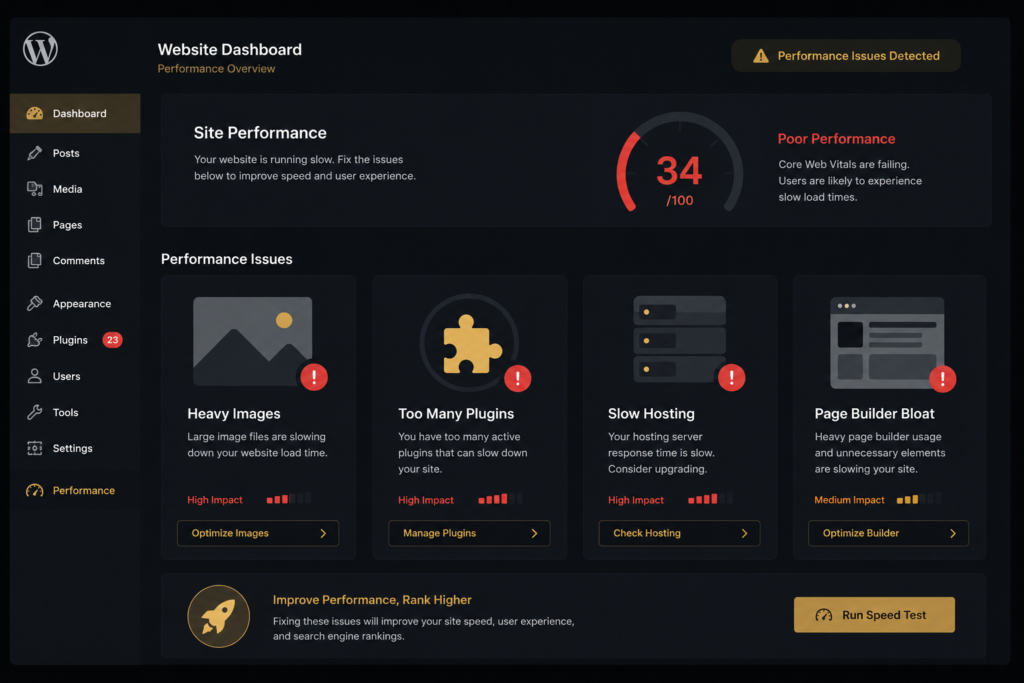
Before fixing anything, get a clear picture of where your site currently stands. Use these three free tools to get accurate speed data:
- Google PageSpeed Insights, shows your Core Web Vitals score and specific issues to fix
- GTmetrix, detailed waterfall analysis showing exactly which files are slowing your page
- WebPageTest, test from multiple global locations to check international load times
Run your URL through all three and note the specific issues flagged. A score of 90 or above on mobile PageSpeed Insights is the target for any serious business website in 2026. If you are below 70 on mobile, your Google rankings and conversion rate are both being affected right now.
Still Dealing With a Slow WordPress Website After These Fixes?
Some speed problems have straightforward DIY fixes. Others, particularly those caused by page builder bloat or deeply embedded plugin conflicts, require a professional rebuild to fully resolve. If you have worked through this entire list and still have a slow WordPress website, the root cause is almost always the theme architecture itself.
A custom hand-coded WordPress theme built without any page builder is the only reliable way to achieve consistent 90 plus PageSpeed scores across mobile and desktop. At CrestVox Studio every website we build starts from clean code with speed as a core requirement, not an afterthought. No page builders, no bloat, no slow WordPress website.
Frequently Asked Questions
Want Us to Fix Your Slow WordPress Website?
Share your URL and we will run a full speed audit and send you a clear breakdown of exactly what is causing the slowdown and what it will take to fix it. Free, no obligation, reply within 24 hours.
Related Articles
CrestVox Studio helps Indian and UK businesses build fast, conversion-ready WordPress and Shopify websites. Get a Free Consultation to discuss your project.